
Most teams do not struggle to write a plan. They struggle to agree on one, and then to keep the agreed version from drifting into six slightly different documents.
This part of OGSM.online is built for that. Everything below keeps the team arguing about the content, not about the file.
Brainstorm together, then shape it
A plan built by one person and circulated for comment collects edits, not agreement. So creating starts where the team is: a shared brainstorm space where ideas go up before anyone worries about which box they belong in.
From there you shape the material into the four building blocks. Objective, Goals, Strategies, Measures: on one page, visible to everyone, changing as the conversation changes.
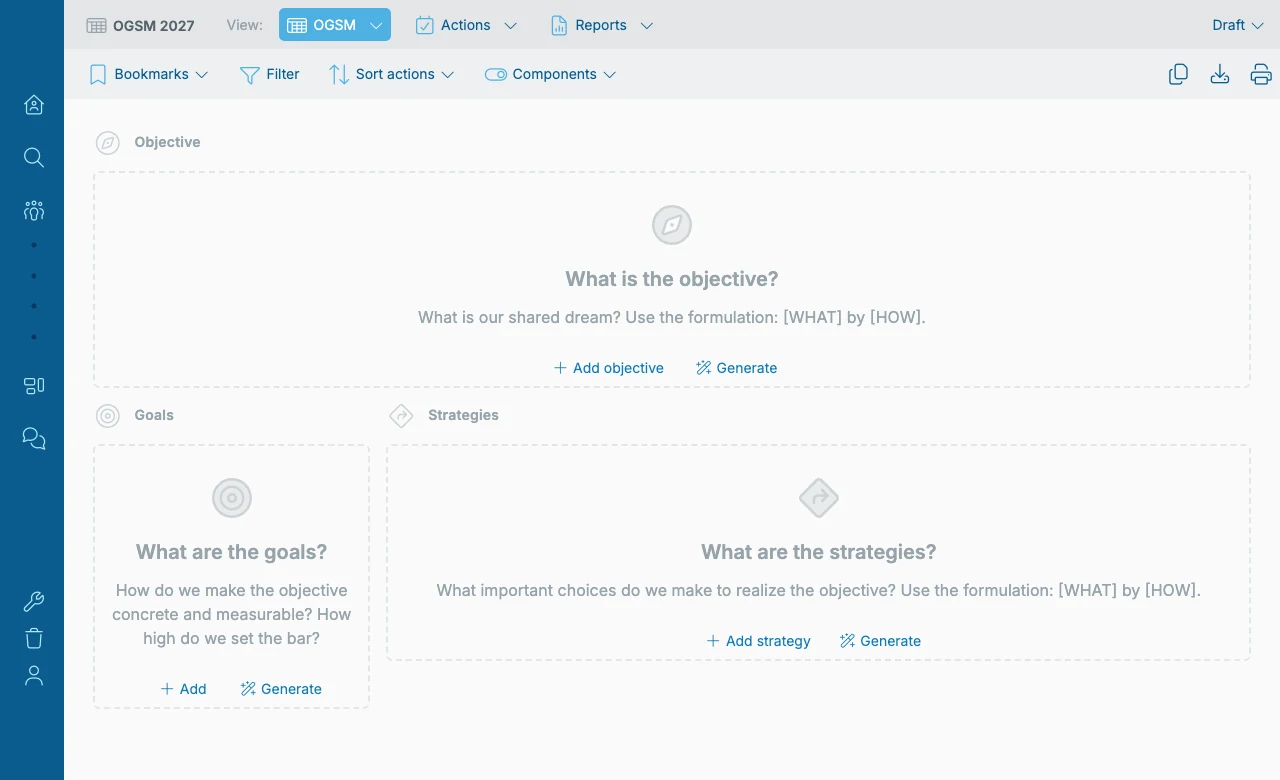
Because it is a collaborative space, you can use it during a session rather than after one. No one takes notes into a separate document that then has to be reconciled.
For teams that want structure to start from, the brainstorm also carries the familiar management models (Business Model Canvas, SWOT, lean canvas, stakeholder analysis) so the analysis and the plan live in the same place.
Everything an item needs
An action without an owner is a wish. A KPI without a target value is not a number at all: it is a subject you have agreed to care about.
So every item in the plan carries what it needs to be steerable:
- Owners on strategies and actions, one named person rather than a department
- Deadlines on actions
- Target values and units on goals and KPIs
- Descriptions, for the context that does not fit on the page
- Labels, managed centrally, for cutting across the plan in your own way
You can go a level deeper where it helps: sub-goals, sub-KPIs and sub-actions, for the places where one line on the page hides a lot of work.
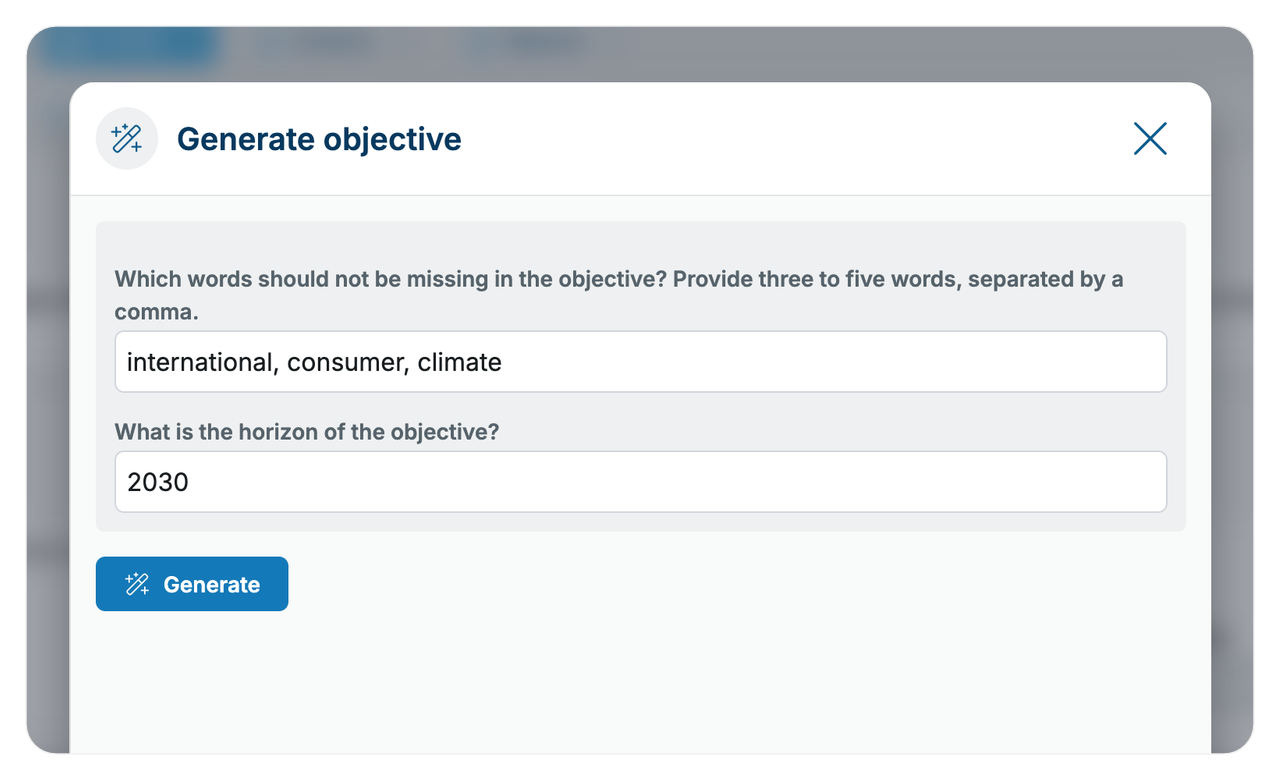
The OGSM score and checklist
It finds the gaps nobody in the room noticed: the goal without a unit, the strategy with two owners.
The OGSM score is a quality indicator: how complete and well-structured is this plan? The checklist behind it walks the same criteria the book uses. Is the Objective ambitious but achievable? Do the goals have target values and units? Does every strategy have exactly one owner? Can every action actually be finished?
It will not write your plan for you. It shows the vague parts before you start executing them. That is far cheaper than finding them halfway through the year, when nobody can report progress on a KPI that never had a target.
A first draft when the page is blank
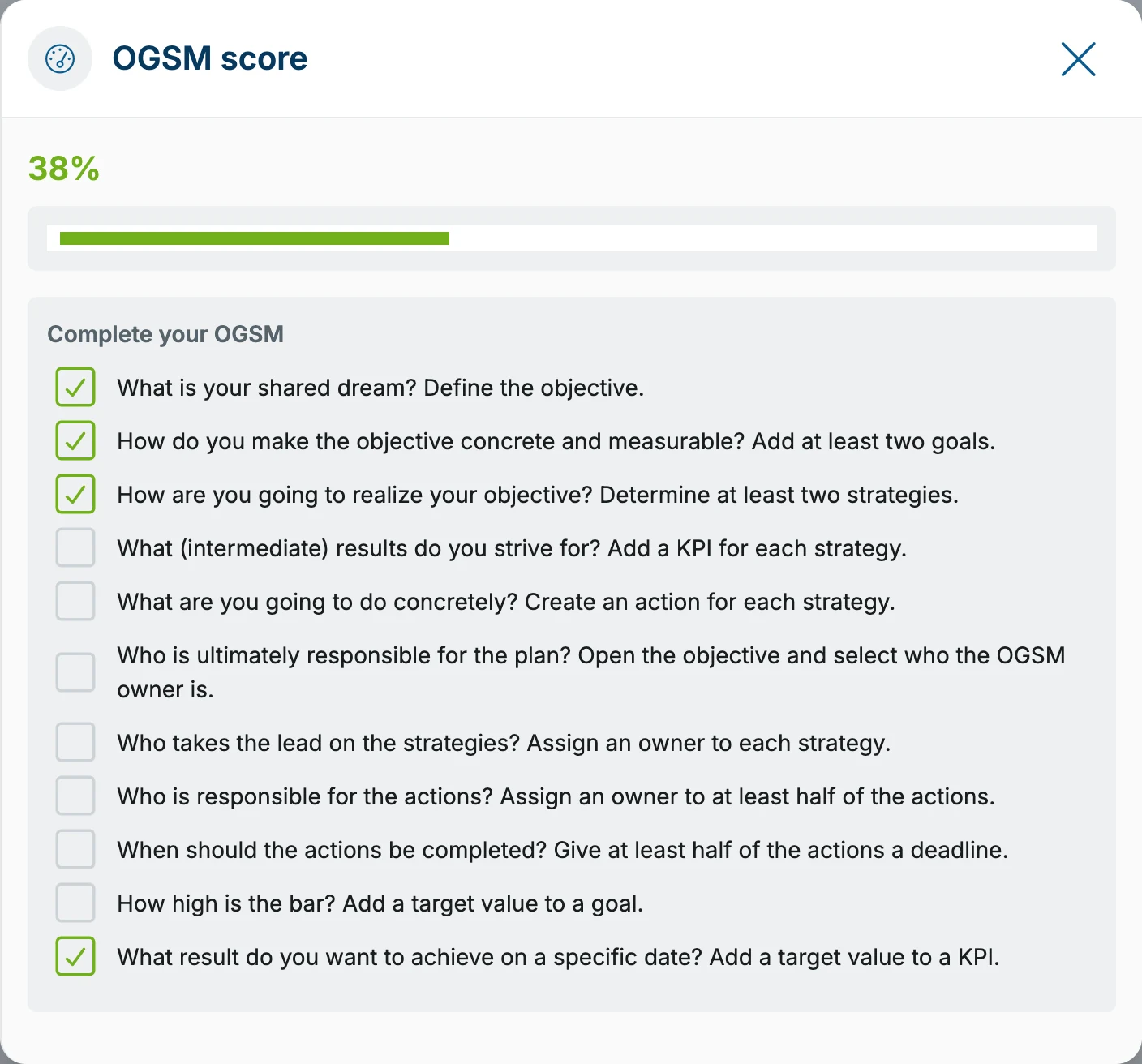
Eight people looking at an empty Objective field is an expensive way to spend a session.
The AI generator drafts a first version of every building block (Objective, Goals, Strategies, KPIs and actions) using background about your organization that an administrator has provided. It also sharpens wording you already have: more ambitious, more concrete, shorter, and it explains why it suggests each change. Both are in every plan. The AI assistant (Pro) goes further: ask it about your plan and it proposes changes for you to approve.
Two limits. First, it produces a draft, not a plan: you accept, regenerate or ignore every suggestion. Second, you can review and strip confidential information before anything is sent, and an administrator can switch the AI off entirely for the whole environment.
The AI runs on Mistral, a European provider, with data held inside the EU. More about that on the trust page.
Draft, active, inactive
A plan under construction should not be reported on. So an OGSM has a status: draft while you are building it, active once it is the plan you steer by, inactive when its horizon has passed.
A team can keep several drafts and inactive plans alongside the one active OGSM. That lets you prepare next year’s plan without disturbing the one people are executing now, and it keeps last year’s plan readable instead of overwritten.
The fastest way to judge this is to build your own plan in it. Thirty days free, no credit card.
Start your free trialThe method behind the screen
This is not generic project software with OGSM labels on it. The structure is the model: the Objective at the top, goals that make it measurable, strategies that are real choices, and measures split into a dashboard and the work.
If you want the method rather than the tool, that is written up in full:
- What is OGSM? the complete guide to the model
- How to write an OGSM in four steps
- The template: what belongs in each box
Once the plan exists, the harder part starts. How execution works →